

To fix Z-Wave dead zones in your home, start by identifying areas where signals drop due to walls or electronic interference. Choose a compatible repeater with strong signal support and place it between your controller and dead zone to boost coverage. Avoid obstacles like thick walls or metal objects near the repeater. Optimize your mesh network by mapping device connections and updating firmware regularly. Taking these steps improves reliability and efficiency, with more detailed strategies available for thorough network enhancement.
Understanding Z-Wave Dead Zones and Their Causes
Although Z-Wave technology offers reliable wireless communication for smart home devices, dead zones can still occur within its network. You’ll want to focus on dead zone identification to maintain seamless connectivity.
These dead zones often arise due to signal interference caused by physical barriers like walls or electronic devices emitting competing frequencies. Understanding the specific sources of interference in your environment allows you to pinpoint where the signal weakens or drops.
Choosing and Installing the Right Z-Wave Repeater
How do you select the best Z-Wave repeater to enhance your network’s coverage?
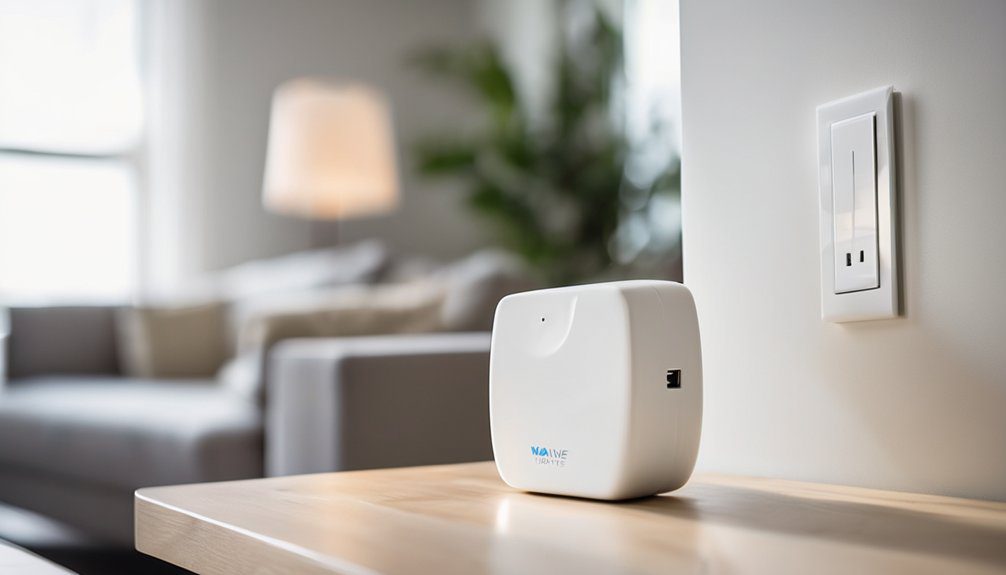
Start by considering the repeater placement carefully; it should be within range of your main controller and the dead zone you want to fix.
Check the device’s compatibility with your existing Z-Wave system to guarantee smooth integration.
Prioritize repeaters that offer strong signal strength and support the latest Z-Wave standards for reliable performance.
When installing, avoid obstacles like thick walls or metal objects that can weaken signals.
Proper placement and device choice are key to restoring consistent connectivity throughout your home.
Optimizing Your Z-Wave Mesh Network for Maximum Coverage
Once you’ve selected and installed the right Z-Wave repeater, the next step involves fine-tuning your mesh network to achieve the widest possible coverage.
Start by placing repeaters strategically, ensuring each device maintains strong signal strength with its neighbors. Avoid physical obstructions like thick walls or large metal objects that weaken signals.
Use your Z-Wave controller’s tools to map device connections and identify weak links. Regularly update device firmware to improve performance.
Mesh network optimization requires patience and adjustments, but by carefully balancing repeater positions and monitoring signal strength, you’ll create a reliable system that eliminates dead zones and grants you true home automation freedom.
Frequently Asked Questions
Can Z-Wave Repeaters Work With Other Smart Home Protocols?
Z-Wave repeaters typically don’t work with other smart home protocols directly, limiting Z Wave compatibility. However, you can achieve smart home integration freedom by using a hub that supports multiple protocols, bridging devices seamlessly for you.
How Do Firmware Updates Affect Z-Wave Repeater Performance?
Firmware updates bring essential improvements and performance enhancements to your Z-Wave repeater, boosting reliability and extending range. Don’t hesitate to update often—you’ll enjoy smoother connections and greater freedom managing your smart home network effortlessly.
Are There Any Security Risks Using Z-Wave Repeaters?
Yes, you might face repeater vulnerabilities, but strong Z Wave encryption helps keep your network secure. You should update firmware regularly and choose trusted devices to maintain your freedom and protect against potential security risks.
What Is the Typical Lifespan of a Z-Wave Repeater?
You can expect your Z-Wave repeater to last around 5-10 years. Lifespan factors include power surges and environment. Follow repeater maintenance tips like firmware updates and proper placement to keep your freedom intact and devices running smoothly.
Can Multiple Z-Wave Repeaters Cause Network Interference?
Yes, multiple Z-Wave repeaters can cause interference if you don’t manage repeater placement carefully. You’ll want to optimize signal strength by spacing them properly, giving your network the freedom to flow smoothly without dead zones or overlap.